ByJohn A
How Passkeys Are Changing the First Few Seconds of Account Access
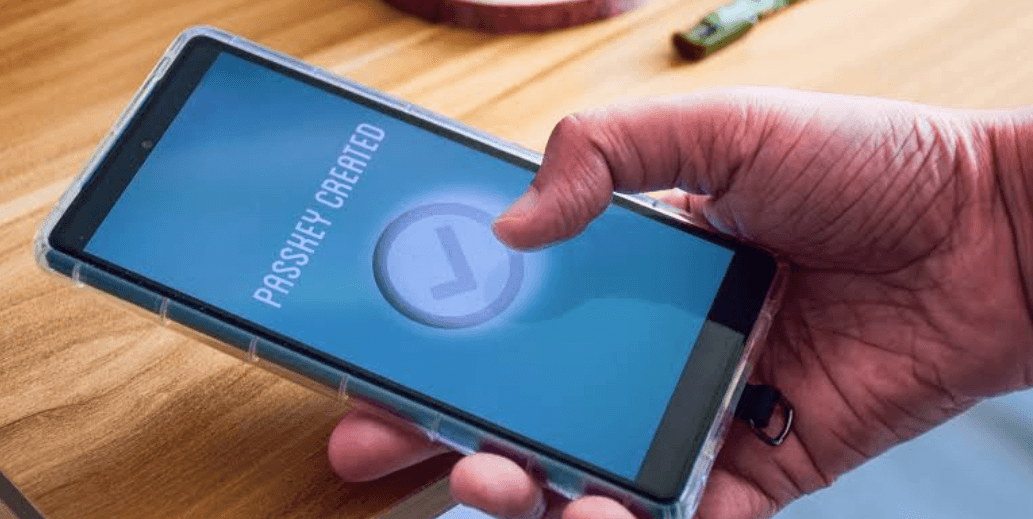
The initial moments of logging in are already showing changes in many websites and apps. Users may no longer type in their passwords as they recall them, instead they are prompted for example by fingerprint, to use face scan or device PIN to verify access. It is a single action which the user can do, but it gets to be the replacement for a method that used to work by users remembering and typing their secret word several times.
This shift can affect entertainment platforms, shopping services, productivity tools, and account areas reached through a desiplay login. Passkeys move more of the authentication work to the device and browser, allowing the person to confirm identity through a method that is already familiar from unlocking a phone or laptop. The result is a login flow that can feel shorter while still performing several checks behind the screen.
A Passkey Changes What Happens Before the Account Opens
A password based login usually begins with something the user knows. The person types a password, the service checks it, and access continues if the information matches. A passkey takes a different approach. Instead of sending a reusable password, the device proves that it holds the correct credential for that particular website or app.
The user usually experiences this as a simple confirmation. A phone may request a fingerprint, face recognition, or device PIN. Once that local check succeeds, the device can complete the authentication process with the website. There is less information to type, and the login page can move from identification to account access with fewer visible steps.
The Website Does Not Need the Secret Itself
Passkeys are built around a pair of related cryptographic credentials. One part is associated with the service, while the private part remains protected by the user’s device or credential manager. During sign in, the service sends a request that the correct private credential can answer. The private credential itself does not need to be sent to the website.
For the person signing in, most of that process stays invisible. What appears on screen may simply be a request to confirm identity on the device. The interaction can therefore feel much closer to unlocking a phone than completing a traditional login form, even though communication between the browser, device, and website is happening in the background.
The Device Becomes Part of the Login Experience
Passkeys make the device an active part of account access. A phone or laptop is no longer being used only to display the login page. It also holds or provides access to the credential and asks the user to approve its use. This changes the first moments of sign in because the website can rely on a device based confirmation instead of asking the person to reproduce a password manually.
Several familiar actions can become part of the flow:
- Confirming with a fingerprint.
- Using facial recognition supported by the device.
- Entering the device PIN.
- Approving access through a supported credential manager.
- Selecting an available passkey when several accounts are stored.
One of the nice things about this type of login solution is that the actions required are those that are already familiar to many device users from their daily routine. The whole scenario becomes just like a website requesting a password while the device takes care of checking it locally and the account being unlocked right after receiving the confirmation.
Returning Can Feel Different From the First Setup
Creating a passkey and using one later are two different moments. During setup, the service needs to register a new credential and associate it with the relevant account. That may require an existing authenticated session or another approved verification method before the passkey is created.
Later visits can be shorter because that credential is already available. The user opens the website, chooses the account if necessary, confirms through the device, and continues. There may be no need to type the same password again. This makes repeat access particularly noticeable because an interaction that once involved several text fields can become a brief confirmation step.
Passkeys Can Work Across More Than One Device
Passkeys need not be kept bound to just one piece of hardware at all times. If a passkey has been created through a credential manager that is supported, it can be synced across all the devices that are part of the same ecosystem. As a result, a passkey generated in one device becomes immediately available in another. However, the exact implementation of this functionality differs from the operating system, browser, account configuration, and the participating platforms involved.
There are also situations where one device can help authenticate another. For example, a phone may be used during login on a nearby computer when the required systems support that method. This gives passkeys more flexibility than a model where every device has to be configured completely independently, while still keeping authentication connected to approved devices and credentials.
Faster Access Comes From Moving Work Behind the Screen
The biggest visible change with passkeys is often what disappears. There may be no password field to complete, no need to recall a complex string, and fewer moments spent switching between a password manager and the login page. The work has not vanished. It has moved into coordinated communication between the service, browser, operating system, and stored credential.
That makes the first few seconds of account access feel different from older login flows. The person performs one familiar confirmation while several technical steps happen out of sight. Passkeys turn authentication into something closer to approving access than manually proving identity from scratch, which is why a modern login can feel shorter even though the system still has plenty to verify.